
My Go-to Resources for Developing Accessible Frontends
Accessible software design/development can often be an afterthought. In this post, I highlight my go to resources around accessibility.
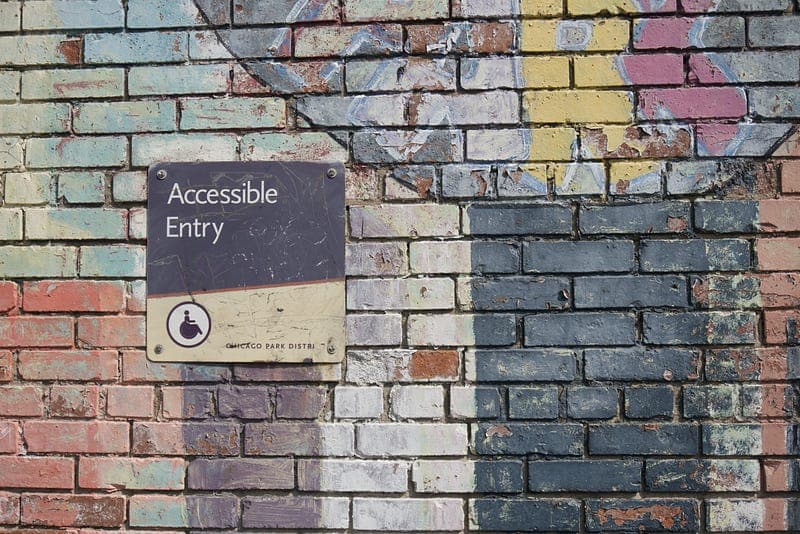
Accessible software design and development can sometimes end up as a bit of an afterthought. Something to be added, if we have time (if considered at all).
Thankfully, though, there are some really great resources out there that help us see that it doesn’t need to take much effort to avoid excluding others from the software we create. In fact, it makes good business sense to avoid doing so.
In this post, I highlight a few resources around accessibility that I find myself going back to again and again.
Microsoft Inclusive Design
To me, the “Inclusive 101” toolkit at the link above was foundational in helping me understand the importance of designing and developing software with accessibility in mind.
This diagram was particularly insightful:

The “Persona Spectrum” helps us understand that we can all find ourselves in situations that affect our ability to perform certain tasks
This framing helped me to understand that we can all find ourselves in situations that impair our ability to carry out everyday tasks. As mentioned in the toolkit, greater than 20 million people in the US could be suffering from a permanent, temporary or situational impairment at any one time. When put that way, it’s clear to see the business case for building accessible software.
A designer I once worked with also helped me see that we should be careful not to just consider physical impairments. Take the new parent example above. A physical impairment they might face is that they often only have one hand free. But they could also be dealing with a lack of sleep, or they might be filled with anxiety. If we were developing a site that was used by new parents, we might want to ensure that the site is simple, clear and reassuring, to help with those impairments.
I’d highly recommend that anyone involved in the design and development of software have a look at the resources found at the link above.
Web Content Accessibility Guidelines (WCAG)
You might think that accessibility guidelines would make for pretty dry reading. Well in some places it can be, but for the most part, WCAG can be easier to find your way around than you might think.
The quick reference provides a list of each individual guideline, including some interesting ones like this one around the use of colour, or this one on avoiding timed interactions. For each guideline, you’ll find information around why the guideline exists, examples of good practice, related resources and some techniques to follow in different situations.
Overall, the guidelines are a worthwhile resource to refer back to.
WAI-ARIA Authoring Practices
If you find yourself wondering how to implement a common component pattern like an accordion or modal in an accessible way, these authoring practices are well worth a look. They give guidance on how to use ARIA to help make those components in an accessible way.
The start of the document covers some good principles to be aware of when using ARIA. In particular, there’s the golden rule to always keep in mind — “No ARIA is better than Bad ARIA”.
Covering many commonly used component patterns, for each one the site outlines some tips, what keyboard interactions should be supported, how ARIA should be used to implement that pattern, and an example (for most of them).
Accessibility Developer Guide
Another great site filled with knowledge and examples around implementing accessible components. The site includes good examples of various common component patterns, but also some common pitfalls that people often run into.
MDN Accessibility Guides
MDN have some great resources, and the guides around accessibility continue that trend. In particular, this guide on the importance of semantic HTML is well worth a read.
Web Fundamentals — Accessibility
The guides at web.dev are well worth a read, including those around accessibility. Similar to the MDN guides above, they include a good general overview of web accessibility basics and an introduction to important topics such as focus and semantics.
GOV.UK Design System
The GOV.UK design system is often worth a look for inspiration, given the effort that’s been put into making sure that it is accessible.
The components give some examples of implementing common component patterns in an accessible way. The patterns also give some suggested guidance around how to handle things like dates, passwords, card details, etc, as well as outlining what research had influenced the guidance.
In a future post, I’ll cover some tools worth using to help with developing accessible frontends.
For now, though, I’d like to leave you with one last point. Language is important. “Are we considering accessibility?” makes it sound like a bar to be striving towards. “Are we being ableist here?” encourages us to consider how we could be excluding people. Next time you find yourself discussing a change, why not give the latter question a go.
What resources around accessibility do you find useful, or find yourself going back to?